Images in CSS Not Showing In IE (But fine in Chrome)

Collapse
X
 
  • Time
  • Show
Clear All
new posts
  • amanda36c
    Registered User
    • Mar 2013
    • 54

    #1

    Images in CSS Not Showing In IE (But fine in Chrome)

    I just don't understand, for the life of me, why the images are showing up fine in Chrome but not in IE.

    I want to make my site browser-friendly (and yes, unfortunately, that means IE-friendly as well). So, can anyone have a look and tell me how to get IE to display the images, loike Chrome is doing. This tells me it's not the path that is the problem. What is, then?

    Layman's terms, please. I'm really super new to css.

    Thanks for any help.

    camgirlclubs.com/CamGirl%20Clubs/index.html
  • GameForAdult
    Confirmed User
    • Mar 2011
    • 371

    #2
    IE sucks

    I see no images on IE and FF, there are non!?

    maybe another URL ?

    Comment

    • sarettah
      still insane
      • Oct 2002
      • 14428

      #3
      Originally posted by GameForAdult
      IE sucks

      I see no images on IE and FF, there are non!?

      maybe another URL ?
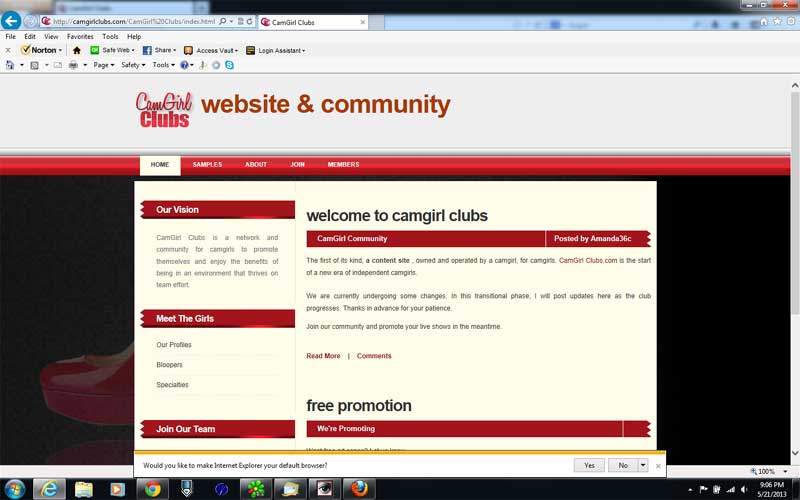
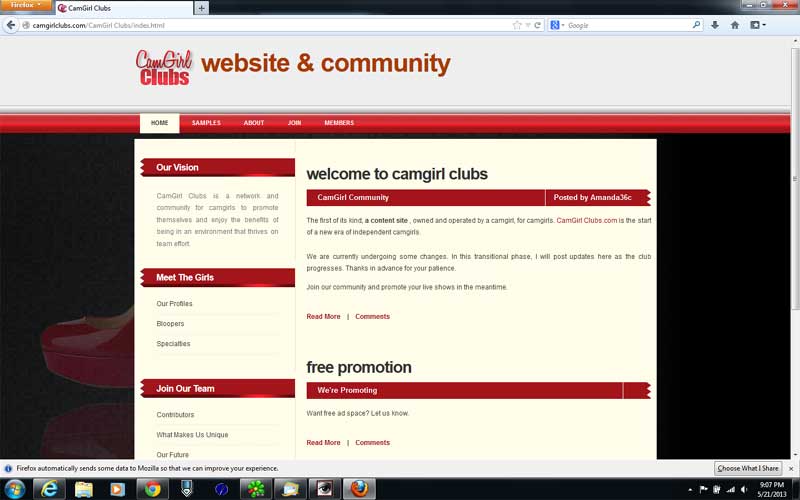
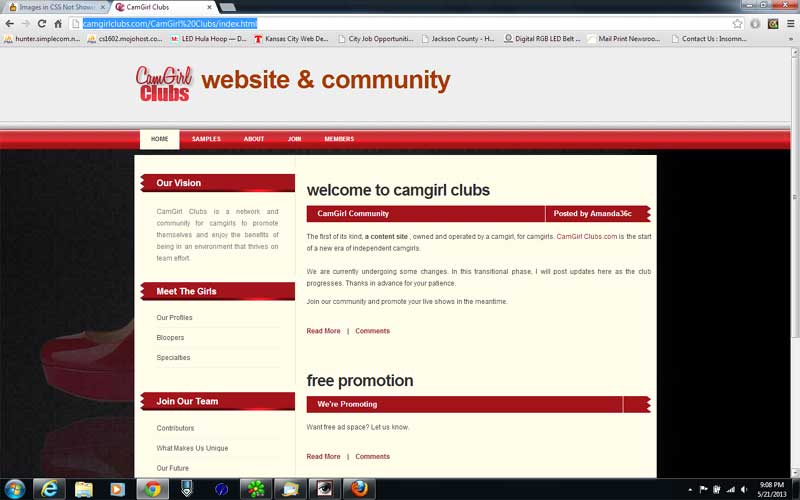
      Yeah, I see the same presentation in all 3 browsers also. Only image is a big ass background image that is taking a long time to load.

      Here is what I am seeing:

      IE:


      FF:


      Chrome:


      Hope that helps.

      .
      Last edited by sarettah; 05-21-2013, 06:21 PM.
      all cookies cleared !

      Comment

      • sarettah
        still insane
        • Oct 2002
        • 14428

        #4
        Btw, your background image bg98.png is 1.25MB, that is way too big. You need to knock that down a whole bunch. If you ever get a bunch of traffic you will be paying for a bunch of bandwidth that does nothing for you. Plus it is slowing your page load way the hell down.

        You need to get those pages to just pop into place.

        If you feel you must keep that image then optimize it as a jpg. Doing it on a medium setting you can knock it down to 55k or so. The PNG is doing nothing for you (imho).

        On that background image you have text which is hidden by the rest of your page. That again makes the image bigger (storage wise) and the text is doing nothing for you.

        My opinion, kill the background image completely. You will get a much better page load. You have a couple of seconds max to grab someones attention on the net, if they spend that time waiting for your page to load you have lost them.

        I did a test in IE and I did a slow count to 7 before the background image showed in the browser. Wasted time.

        Just imho, of course.

        Hope that helps.

        .
        all cookies cleared !

        Comment

        • sarettah
          still insane
          • Oct 2002
          • 14428

          #5
          This is the image you have as the background, al 1.25 MB of it:


          This is the same image optimized as a jpg at around 60kb:


          Do you see any noticeable difference that would warrant using the png image which is taking 19 times more space and bandwith?

          .
          Last edited by sarettah; 05-21-2013, 06:30 PM.
          all cookies cleared !

          Comment

          • sarettah
            still insane
            • Oct 2002
            • 14428

            #6
            never mind

            .
            all cookies cleared !

            Comment

            • Tent Pitcher
              Confirmed User
              • Nov 2012
              • 213

              #7
              Originally posted by amanda36c
              I just don't understand, for the life of me, why the images are showing up fine in Chrome but not in IE.

              I want to make my site browser-friendly (and yes, unfortunately, that means IE-friendly as well). So, can anyone have a look and tell me how to get IE to display the images, loike Chrome is doing. This tells me it's not the path that is the problem. What is, then?

              Layman's terms, please. I'm really super new to css.

              Thanks for any help.

              camgirlclubs.com/CamGirl%20Clubs/index.html
              You seem to have some conflicting directives in your CSS, one of which is likely confusing IE (it isn't hard to do). I see what you are trying to do with the background image here:

              Code:
              background-clip: border-box, border-box, border-box;
              background-color: #FFFDEA;
              background-image: url("images/img01.jpg"), url("images/bg98.png"), none;
              background-origin: padding-box, padding-box, padding-box;
              background-position: 0 0%, 0 0%, 0 0;
              background-repeat: repeat-x, no-repeat, repeat;
              background-size: auto auto, cover;
              But this is the way I would do it (and I am using exactly this on some sites that work across all browsers):

              Code:
              background-image: url("images/img01.jpg");
              background-attachment: fixed;
              background-position: center;
              background-repeat: no-repeat;
              background-size: cover;
              Several of your directives specify multiple definitions (like background-image: url("images/img01.jpg"), url("images/bg98.png"), none;)...that is CSS3 which is not fully supported or supported at all depending on the browser that you are using.
              Tent Pitcher - Adult Search Engine

              Comment

              • amanda36c
                Registered User
                • Mar 2013
                • 54

                #8
                Originally posted by GameForAdult
                IE sucks

                I see no images on IE and FF, there are non!?

                maybe another URL ?
                That's really odd. Besudes myself of course, you're the only one (of dozens that have responded here and on Twitter) who doesn't see the images or bg. Hmmm.

                Thanks for your feedback. I'll figure this out, eventually. I think. I hope.

                Comment

                • amanda36c
                  Registered User
                  • Mar 2013
                  • 54

                  #9
                  Originally posted by sarettah
                  This is the image you have as the background, al 1.25 MB of it:


                  Do you see any noticeable difference that would warrant using the png image which is taking 19 times more space and bandwith?

                  .
                  It won't let me quote you because there are urls in your post and me being a newbie, am not yet old enough to post urls. lol Oh c'mon GFY!!! Anyway ...

                  I didn't know it was the background that was taking the page so long to load. I do much prefer the png output over any jpeg, so perhaps I'll cut the image in half, use just the left half, fading to black so that on the right side, you can't tell it isn't part of the image, rather just a plain black background.

                  Thanks so much for your help. Really appreciate it.

                  Comment

                  • amanda36c
                    Registered User
                    • Mar 2013
                    • 54

                    #10
                    Originally posted by Tent Pitcher
                    You seem to have some conflicting directives in your CSS, one of which is likely confusing IE (it isn't hard to do). I see what you are trying to do with the background image here:

                    Code:
                    background-clip: border-box, border-box, border-box;
                    background-color: #FFFDEA;
                    background-image: url("images/img01.jpg"), url("images/bg98.png"), none;
                    background-origin: padding-box, padding-box, padding-box;
                    background-position: 0 0%, 0 0%, 0 0;
                    background-repeat: repeat-x, no-repeat, repeat;
                    background-size: auto auto, cover;
                    But this is the way I would do it (and I am using exactly this on some sites that work across all browsers):

                    Code:
                    background-image: url("images/img01.jpg");
                    background-attachment: fixed;
                    background-position: center;
                    background-repeat: no-repeat;
                    background-size: cover;
                    Several of your directives specify multiple definitions (like background-image: url("images/img01.jpg"), url("images/bg98.png"), none;)...that is CSS3 which is not fully supported or supported at all depending on the browser that you are using.
                    Now I'm terrified to change the css. I've done it 30x too many and well, you see what happened! lol Lemma try what you suggested and maybe I'll get lucky. Thanks for your help.

                    Comment

                    • sarettah
                      still insane
                      • Oct 2002
                      • 14428

                      #11
                      Originally posted by amanda36c
                      Now I'm terrified to change the css. I've done it 30x too many and well, you see what happened! lol Lemma try what you suggested and maybe I'll get lucky. Thanks for your help.
                      I you are not doing it already, when you go to change your css make a quick backup copy of your current css so that if you get lost you can start your trip over easily.


                      .
                      all cookies cleared !

                      Comment

                      • amanda36c
                        Registered User
                        • Mar 2013
                        • 54

                        #12
                        Originally posted by sarettah
                        I you are not doing it already, when you go to change your css make a quick backup copy of your current css so that if you get lost you can start your trip over easily.


                        .
                        Always make backups. I make backups of backups! lol Thanks for your advice above, Very helpful. I'm going with an entirely different template though which has a small area in the top left corner for a background image, which will definitely cut down the download time.

                        3 more posts till I'm at 30 and can post a url

                        Comment

                        • CPA-Rush
                          small trip to underworld
                          • Mar 2012
                          • 4927

                          #13
                          why u have space on ur url ?. this can break ur links

                          css can be tricky at first sexy girl lol it's not as easy as it seem to be

                          u can look at my website i have been trying to get full width footer but no luck ,

                          automatic exchange - paxum , bitcoin,pm, payza

                          . daizzzy signbucks caution will black-hat black-hat your traffic

                          ignored forever :zuzana designs

                          Comment

                          • amanda36c
                            Registered User
                            • Mar 2013
                            • 54

                            #14
                            Originally posted by rosx
                            why u have space on ur url ?. this can break ur links

                            css can be tricky at first sexy girl lol it's not as easy as it seem to be

                            u can look at my website i have been trying to get full width footer but no luck ,
                            What do you mean "'space on my url"? Are you referring to this page? http://camgirlclubs.com

                            Comment

                            • CPA-Rush
                              small trip to underworld
                              • Mar 2012
                              • 4927

                              #15
                              no i mean the directory "CamGirl%20Clubs/"

                              automatic exchange - paxum , bitcoin,pm, payza

                              . daizzzy signbucks caution will black-hat black-hat your traffic

                              ignored forever :zuzana designs

                              Comment

                              • sarettah
                                still insane
                                • Oct 2002
                                • 14428

                                #16
                                Originally posted by rosx
                                no i mean the directory "CamGirl%20Clubs/"
                                Yeah, the %20 indicates a space. You should never have spaces in urls or filenames even though systems will let you. It can screw some programs up.

                                Originally posted by amanda36c
                                Thanks for your advice above, Very helpful.
                                You are quite welcome.

                                .
                                all cookies cleared !

                                Comment

                                • CPA-Rush
                                  small trip to underworld
                                  • Mar 2012
                                  • 4927

                                  #17
                                  its standard on web that links sent over http use ASCII characters mostly . urls shouldn't contain spaces
                                  in your case javascript probably encode it for u because its not acceptable to have spaces

                                  automatic exchange - paxum , bitcoin,pm, payza

                                  . daizzzy signbucks caution will black-hat black-hat your traffic

                                  ignored forever :zuzana designs

                                  Comment

                                  • amanda36c
                                    Registered User
                                    • Mar 2013
                                    • 54

                                    #18
                                    Thanks guys but this page was very temporary. The site itself doesn't have 'spaces' or funky characters. It's actually fine. That was just to show everyone what the site would look like. I've decided to go with this instead http://camgirlclubs.com --- without spaces. Thanks a bunch for your help everyone. You guys are great!

                                    Comment

                                    Working...