


|
|
|
|
||||
|
Welcome to the GoFuckYourself.com - Adult Webmaster Forum forums. You are currently viewing our boards as a guest which gives you limited access to view most discussions and access our other features. By joining our free community you will have access to post topics, communicate privately with other members (PM), respond to polls, upload content and access many other special features. Registration is fast, simple and absolutely free so please, join our community today! If you have any problems with the registration process or your account login, please contact us. |

 |
|
|||||||
| Discuss what's fucking going on, and which programs are best and worst. One-time "program" announcements from "established" webmasters are allowed. |
|
|
Thread Tools |
 06-03-2006, 03:56 PM
|
#1 |
|
Confirmed User
Join Date: Apr 2002
Location: Orlando, FL
Posts: 3,711
|
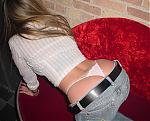
photoshop peeps - how did she do this?
This is my whore of a neighboor, the type that won't find a job, relies on a man for everyhting, real fucking loser. Anyway, how did she make some of this pic black and white and some color?
I can't stand her to know how to do something I don't lol =)  |

|


|
|
06-03-2006, 03:57 PM
|
#2 |
|
So Fucking Gay
Join Date: Nov 2004
Posts: 19,714
|
Looks like he made 2 layers, one b&w, one in color, then
used a gradient blend..... I could easily be wrong though, cuz I'm no designer or photoshop gawd..... |
|
|
|
|
06-03-2006, 03:57 PM
|
#3 | |
|
Confirmed User
Join Date: Apr 2002
Location: Orlando, FL
Posts: 3,711
|
Quote:
|
|
|
|
|
|
06-03-2006, 03:59 PM
|
#4 |
|
Confirmed User
Industry Role:
Join Date: May 2006
Location: San Jose, Costa Rica
Posts: 146
|
1) Select the girl and top
2) Inverse selection 3) Turn the new selection black and white |
|
|
|
|
06-03-2006, 03:59 PM
|
#5 |
|
Megan Fox's fluffer

Industry Role:
Join Date: Oct 2005
Location: shooting pool in Elysium
Posts: 24,818
|
Make a duplicate window of the original pic and clone from one frame into the other.
|
|
|
|
|
06-03-2006, 04:04 PM
|
#6 |
|
Confirmed User
Industry Role:
Join Date: May 2006
Location: San Jose, Costa Rica
Posts: 146
|
Or you can do it with 2 layers..... This is an example of how I work with layers
1) Plane is one layer 2) Moon is another one 3) Match the two layers and save as one pic  BTW... I'm a aviation photographer or "spotter" |
|
|
|
|
06-03-2006, 04:09 PM
|
#7 |
|
Confirmed User
Join Date: Aug 2004
Location: www.calidi.com
Posts: 102
|
1) Duplicate the background (=> copy becomes layer 1)
2) Desaturate layer 1 3) With layer 1 selected, use the eraser tool over the parts of the pic you want in color (use a gradient brush for better results) 4) gfy  |
|
|
|
|
06-03-2006, 04:10 PM
|
#8 | |
|
I am cool
Join Date: Jul 2003
Posts: 14,494
|
Quote:
O-town 4 life ;) |
|
|
|
|
|
06-03-2006, 04:48 PM
|
#9 | |
|
Confirmed User
Industry Role:
Join Date: Jul 2004
Posts: 959
|
Quote:
It's all real, man, it's all spooky... |
|
|
|
|
|
06-03-2006, 05:00 PM
|
#10 | |
|
♦ Web Developer ♦

Industry Role:
Join Date: May 2005
Location: Full-Stack Developer
Posts: 12,472
|
Quote:

__________________
 Full Stack Webdeveloper: HTML5/CSS3, jQuery, AJAX, ElevatedX, NATS, MechBunny, Wordpress |
|
|
|
|
|
06-03-2006, 05:16 PM
|
#11 |
|
Registered User
Join Date: Mar 2006
Posts: 40
|
Make the colour foto the back ground or lower layer.
Select all then copy paste into a second top layer. Make the top layer mono chrome via the image menu Do a cirular marque selection on the mono top layer (the foto you've shown has a circular cut out but you can select any shape via the marque tools) Press delete. And there ya have it All you need to do now is save for the web and the duo layer image combines into 1
__________________
http://www.stayprivate.com |
|
|
|
|
06-03-2006, 05:29 PM
|
#12 |
|
ICQ: 304-611-162
Join Date: Feb 2005
Location: Masterdam
Posts: 13,245
|
I'd hit it!
|
|
|
|
|
06-03-2006, 05:41 PM
|
#13 |
|
Confirmed User

Join Date: Feb 2002
Location: ICQ: 251425 Fr/Au/Ca
Posts: 6,863
|
Holy fuck you guys make things complicated!
This is all she did. Hit Q. Draw out a circular gradient [G]. Hit Q. Hit Control-Shift-U. |
|
|
|


