

I am using phpExcel to write workbooks on the server.
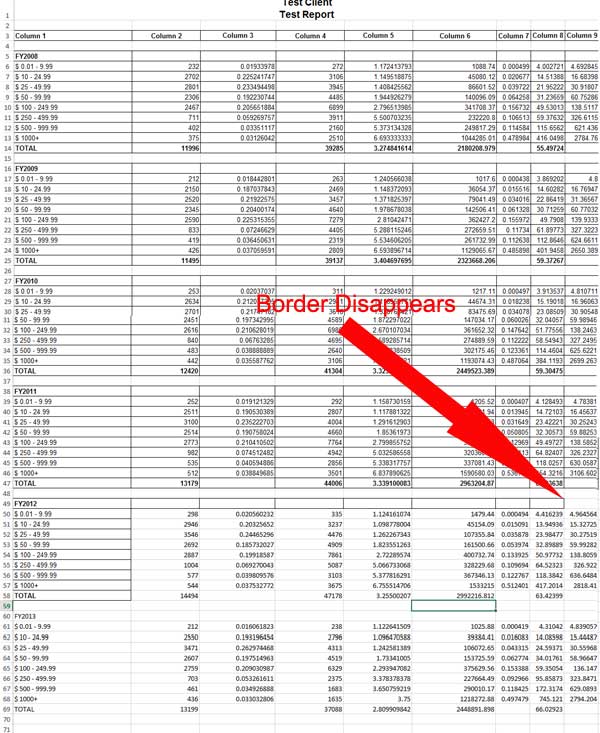
I am having an issue with cell formatting. The cell formatting shows for a while but then disappears, then comes back.
Watching the behavior (and after reading a bit more about phpexcel) I am inclined to think it is a memory issue of some sort but I am not getting any errors thrown and the data is all good. Just the formatting is fucked.
Any insight is appreciated.
Thank you in advance.
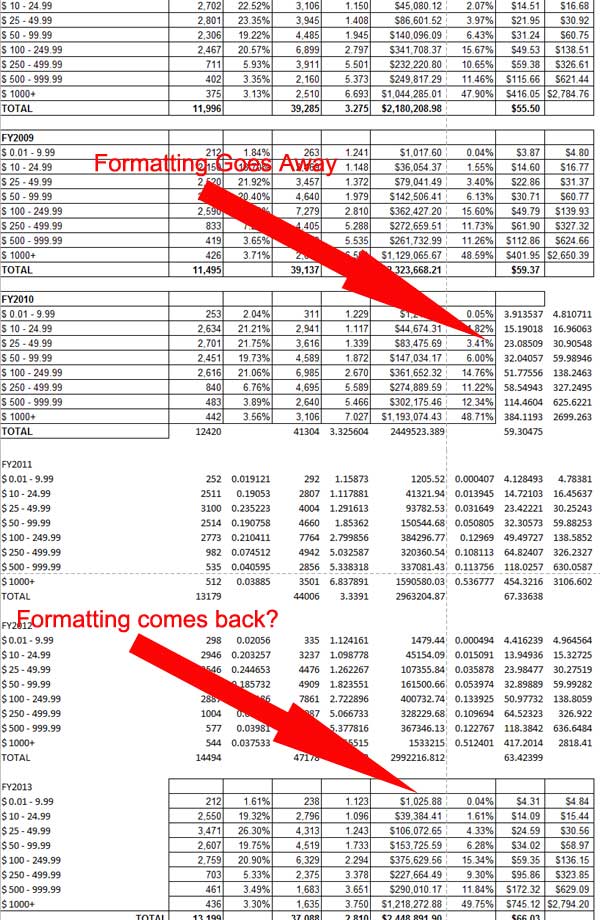
I am having an issue with cell formatting. The cell formatting shows for a while but then disappears, then comes back.
Watching the behavior (and after reading a bit more about phpexcel) I am inclined to think it is a memory issue of some sort but I am not getting any errors thrown and the data is all good. Just the formatting is fucked.
Any insight is appreciated.
Thank you in advance.

Comment