
Ever connected your 42'' plasma to your computer?

Collapse
X
 
  • Time
  • Show
Clear All
new posts
  • coinzblow
    Confirmed User
    • May 2006
    • 116

    #1

    Ever connected your 42'' plasma to your computer?

    Here is my "42HDS69" plasma Hitachi TV. Here how it looks :
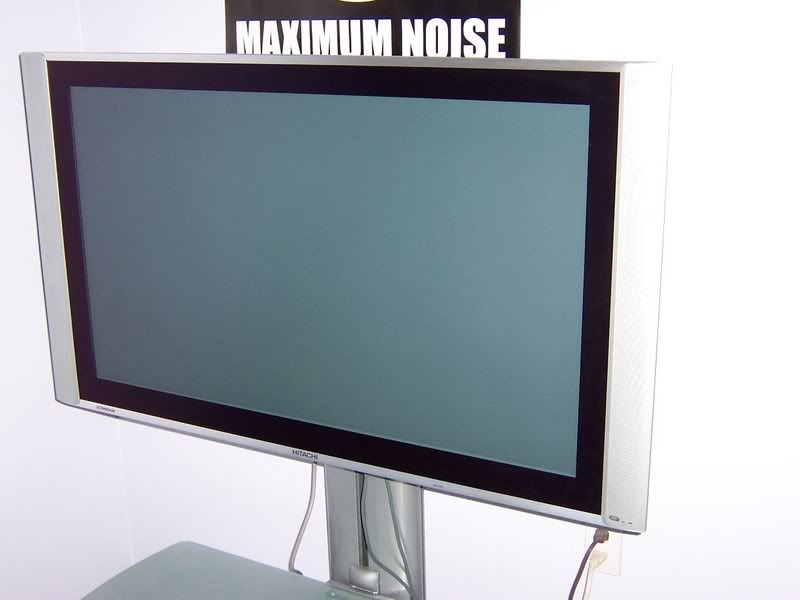

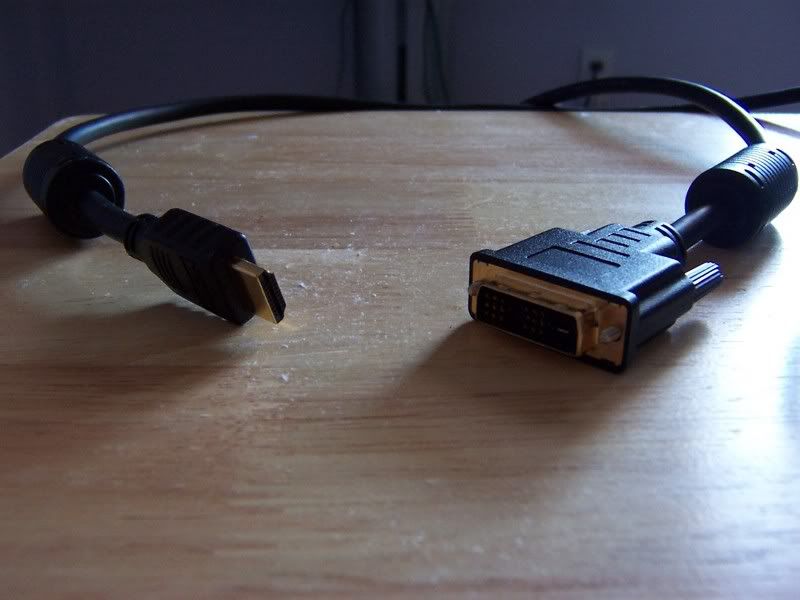
    Now here is the Digital Audio/Visual HDMI-to-DVI-D Single Link Cable

    My video card is : Nvidia 7900 GTX


    When I connect everything, how come picture on my TV is blurry. Color is out of place. Everything seems as though moved slightly to the left, and has a reflection to it. I would assume my video card should be more then capable of having my TV as my computer screen. Do I need to download a driver? I have been looking for a driver but I had no luck of finding one. Anyone know?
  • CurrentlySober
    Too lazy to wipe my ass
    • Aug 2002
    • 39078

    #2
    Good luck ! Gonna get me a plasma soon
    ️ ️

    Comment

    • donnie
      Confirmed User
      • Jan 2003
      • 1630

      #3
      I often connect my laptop to my plasma TV and I have never had any issues. I have never tried connected my stationary computer but if it works with my laptop, it should work with any computer without installing any drivers.

      Comment

      • coinzblow
        Confirmed User
        • May 2006
        • 116

        #4
        Originally posted by donnie
        I often connect my laptop to my plasma TV and I have never had any issues. I have never tried connected my stationary computer but if it works with my laptop, it should work with any computer without installing any drivers.
        I know. I am looking for person who have experienced this problem to show me the way

        Comment

        • jonesonyou
          Confirmed User
          • Sep 2003
          • 3853

          #5
          post the famous screen shot with gfy loaded.

          Completely Real Amateur girls doing awesome things! Signup to promote Nebraskacoeds Today!

          Hit me up on ICQ/AIM 473324556/jasonnecoeds for exclusive content to promote with! And any ?'s

          Comment

          • Steve Awesome
            Confirmed User
            • Jan 2007
            • 1575

            #6
            Perhaps your video card can't auto-detect the resolution of the plasma TV? What you're seeing sounds as if it's making a best guess (or doing the best it can).

            Comment

            • RawAlex
              So Fucking Banned
              • Oct 2003
              • 9465

              #7
              You may want to check what the desired refresh rate is for the TV, as well as the actual screen size. Some of these systems will try to fill the screen even if you don't send a full size, which will lead to stretching and color issues. Check your manual and make sure your screen size is set to match.

              You may need a driver as well, to support the screen (display type)

              Comment

              • coinzblow
                Confirmed User
                • May 2006
                • 116

                #8
                Originally posted by RawAlex
                You may want to check what the desired refresh rate is for the TV, as well as the actual screen size. Some of these systems will try to fill the screen even if you don't send a full size, which will lead to stretching and color issues. Check your manual and make sure your screen size is set to match.

                You may need a driver as well, to support the screen (display type)

                "You may need a driver as well, to support the screen (display type)" that is what I need to find. I know about everything else now. anyways thank you. I am tired of trying to make my TV as a monitor. I don't care any more.

                Comment

                • starpimps
                  Confirmed User
                  • Sep 2006
                  • 6954

                  #9
                  umm plasmas and computer = bad combo?
                  not sure about the new plasma tvs but i have seen some burn-in's with one of my buddies who have tried to use his screen connected to his computer..i have a lcd tv and thats a different story anyways

                  do a research on Plasma Burnin before anything
                  Teen Porn Models / Solo Girls

                  Comment

                  • tomeatsdinner
                    Confirmed User
                    • Jul 2007
                    • 262

                    #10
                    Plasma for computer.. That is huge.. Won't work for me..

                    Comment

                    • coinzblow
                      Confirmed User
                      • May 2006
                      • 116

                      #11
                      Originally posted by jonesonyou
                      post the famous screen shot with gfy loaded.
                      I am sorry. I am to lazy to do this right now. I am sure maybe some one can photo-chop it.

                      Comment

                      • theS2O
                        Adult Design Since 2003
                        • Sep 2003
                        • 4785

                        #12
                        yup i did. most of the time, i just connect my laptop to the plasma when i want to watch a movie that i have downloaded. a few internet browsing but not that long.. although not sure if the pioneer 42" plasma still burns out.. it's just better to be safe than sorry.. heh
                        Making Awesome Logos & Websites Since 2003!
                        [email protected]

                        Comment

                        • coinzblow
                          Confirmed User
                          • May 2006
                          • 116

                          #13
                          Originally posted by starpimps
                          umm plasmas and computer = bad combo?
                          not sure about the new plasma tvs but i have seen some burn-in's with one of my buddies who have tried to use his screen connected to his computer..i have a lcd tv and thats a different story anyways

                          do a research on Plasma Burnin before anything

                          Yes. I know. To leave on a single picture for some time. It might burn through the tv. each pixel gets hot. I would hate if my tv had a pixel burned out. LCD different story to it. you said it. anyways I am done trying to make my tv as a monitor.

                          what I learned is. buy a dvd player that plays all avi, dvix, mpg and all other craps and use TV to watch it. Waste of time and money trying to set up a 42'' tv to a computer, plus their is a risk of having your pixles burned out. Movies have things moving all the time. computer monitor screen. Pixels will burn through tv.

                          Comment

                          • starpimps
                            Confirmed User
                            • Sep 2006
                            • 6954

                            #14
                            Originally posted by coinzblow
                            Yes. I know. To leave on a single picture for some time. It might burn through the tv. each pixel gets hot. I would hate if my tv had a pixel burned out. LCD different story to it. you said it. anyways I am done trying to make my tv as a monitor.

                            what I learned is. buy a dvd player that plays all avi, dvix, mpg and all other craps and use TV to watch it. Waste of time and money trying to set up a 42'' tv to a computer, plus their is a risk of having your pixles burned out. Movies have things moving all the time. computer monitor screen. Pixels will burn through tv.
                            ahh thought u wanted to use it as a monitor..anyways yeah, instead of going through the headache of connecting my laptop to tv..i jst got a dvd player that plays divx for like 100 bucks

                            100% less headache heh
                            Teen Porn Models / Solo Girls

                            Comment

                            Working...