

Everything's going peachy as I set up my Let's Encrypt certificate, set up Apache on port 443, and start progressively changing references...
Then I discover that one of the affiliate programs I use only supports HTTP.
It's inlined content (IFRAME) so there's really no option but to accept that it's going result in a broken padlock on most browsers.
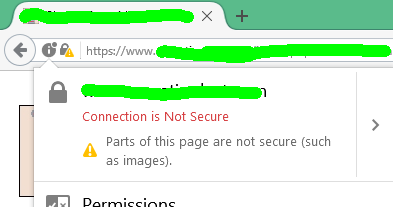
Anyone else had the same problem when switching to HTTPS?
Then I discover that one of the affiliate programs I use only supports HTTP.
It's inlined content (IFRAME) so there's really no option but to accept that it's going result in a broken padlock on most browsers.
Anyone else had the same problem when switching to HTTPS?




 email frozenthype [at] gmail com
Comment